


Uphold: Buy BTC, ETH and 300+
4.48.35K Reviews
App Specs
- Version
- 6.103.0
- Updated On
- License
- Free
- Downloads
- 5,000,000+
- Developer
- Uphold
- Categories
- Finance
- Platform
- Android, iOS
Screenshots
 Analysis by AppCompare
I often think about how financial apps fit into a shared household, not just one person’s phone. Uphold: Buy BTC, ETH and 300+ is a personal finance app from Uphold that brings several kinds of assets into one place. That can be convenient when I want to check a crypto balance alongside other holdings, but it also makes clear boundaries important: an account used to manage money should belong to the person responsible for it, not become a casual family login.
A shared household, without a shared account
Picture a couple discussing a small recurring crypto purchase after dinner. One person can use the app to review the available assets and decide whether to make a trade, while the other can talk through the household budget without needing access to the account itself. That distinction matters. A shared conversation about investing is different from sharing credentials or handing an unlocked phone to someone who might tap through a transaction.
I’d treat Uphold as an individual financial account, even if the choices affect a household budget. Before buying anything, it helps to agree on a simple boundary: whose money is being used, what amount is genuinely discretionary, and who is allowed to confirm a transaction. That kind of coordination is more useful than assuming an app will manage family roles for you.
Setup works best with clear boundaries
Uphold is free to download, though in-app purchases are listed from $4.99 to $49.99 per item. For a household, the practical question is not only whether the app costs anything to install; it is whether each person understands the financial commitment of a trade and the possibility that an asset’s value can change. I would avoid setting it up on a shared device if other users can open the account or access its verification steps.
Two-factor authentication is part of the security approach described for the app, and I’d enable it rather than relying only on a device passcode. I’d also keep account recovery details private and avoid saving access information somewhere that every household member can see. These are ordinary precautions, but they carry extra weight when a phone is passed around for shopping lists, messages, or other shared tasks.
Automated purchases deserve their own conversation. AutoPilot can schedule transactions at chosen intervals, which may make a regular investing routine easier to maintain. Before turning it on, I’d check the amount and frequency together with the available balance and household bills. Automation reduces repeated manual steps; it does not decide whether the timing or risk suits your finances.
Exploring the Features
Right off the bat, when you open Uphold: Buy BTC, ETH and 300+, you’re greeted with a clean and intuitive interface. It’s like the app is saying, "Hey, I’m here to make your crypto journey as smooth as possible." And honestly, it does just that.
Worth Reading Before You Choose

EA SPORTS FC Mobile 26 Is a Bigger Football Game, but It Takes Time

Flipboard Shows What News Apps Must Do Beyond the Feed

Switching to Android Auto Means Rethinking Your Driving Routine

Google Calendar Makes a Crowded Week Easier to Manage

Ludo King Makes the Most of the Minutes Between Plans

Baby Panda World Brings Quick Play to Modern Phones, but Its Game Library Feels Busy
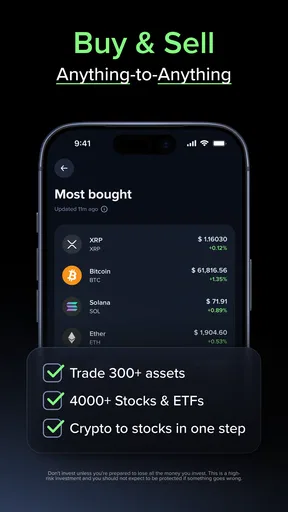
One of the standout features is the ability to trade not just cryptocurrencies but also precious metals and national currencies. Imagine swapping Bitcoin for gold or even Euros with just a few taps. It’s like having a mini Wall Street in your pocket. The app supports over 300 currencies and commodities, which is pretty wild. If you’re someone who likes to dabble in various financial instruments, this is definitely a playground you’d enjoy.
Another cool feature is the AutoPilot. It’s designed for those of us who might not have the time to keep a constant eye on market fluctuations. You can set up automated transactions at your chosen intervals, which is perfect for dollar-cost averaging. It’s like having your personal crypto assistant that never sleeps.
Security and Peace of Mind
Now, let’s talk security because, let’s face it, we’re dealing with money here. Uphold seems to take security very seriously. They have robust security protocols in place, including two-factor authentication (2FA) and end-to-end encryption. It feels reassuring to know that your assets are tucked away safely, like under a digital mattress with a lock and key.
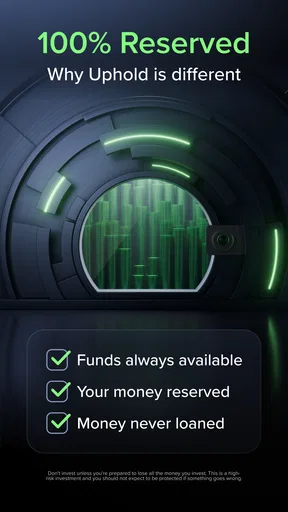
Moreover, Uphold offers a transparency feature where you can see their reserve holdings in real-time. It’s kind of like peeking behind the curtain to see that everything is in order. This level of transparency is a rarity and a refreshing change in the crypto world.
User Experience and Support
Alright, let’s chat about the user experience. Navigating through the app is a breeze. Everything is neatly categorized, and you don’t need a PhD in finance to understand how to make a trade. The developers clearly put a lot of thought into making the user journey as seamless as possible.
The app is available on both Android and iOS, and it runs smoothly on both platforms. I haven’t encountered any glitches or crashes, which is always a plus in my book. The app is regularly updated, keeping it fresh and in line with the latest market trends.
If you ever find yourself in a pickle, their customer support is just a click away. They offer a comprehensive FAQ section, and if that doesn’t cut it, you can reach out to their support team. They’re pretty responsive, which is a relief when you need answers fast.
Using a multi-asset app thoughtfully
The broad selection is useful when I want to compare different asset types without jumping between several specialist apps. It can also make a simple action feel deceptively easy: moving between currencies or commodities in one interface may encourage more frequent experimenting. I’d treat each transaction as a separate decision, check the asset and amount before confirming, and avoid reading a compact dashboard as a complete picture of household finances.
Compared with a conventional banking app, Uphold is aimed at people who want access to crypto and other tradable assets, rather than only day-to-day banking tasks. Compared with a crypto-only exchange, its mix of asset types may be more convenient for someone who wants to explore beyond digital coins. That flexibility is not automatically an advantage for everyone. If I only needed a place to track spending, pay bills, or keep savings straightforward, I’d choose a banking tool designed around those jobs instead.
A useful routine is to review any automated plan after a change in income or expenses rather than letting a past decision run unnoticed. I’d also keep a separate note of why I chose a recurring amount and what would make me pause it. That small habit helps distinguish a deliberate plan from a setting I forgot was active, especially when household priorities change.
Age, trust, and the person holding the phone
The app’s content rating is Everyone, but that label should not be confused with a recommendation for children to manage investments. It is a finance app involving transactions, so I would keep the account under an adult’s control and explain the difference between viewing an asset and being authorized to buy or sell it. A child may be curious about a price chart; curiosity alone is not a reason to give them account access.
Trust also means understanding what the app can and cannot do for a family. Its security features and reserve transparency can help an account holder feel more informed, but they do not replace careful communication or make a volatile asset risk-free. For a couple, I’d agree on how to discuss a planned trade before money is committed. For roommates or other shared-device users, I’d keep financial accounts separate and sign out when finished.
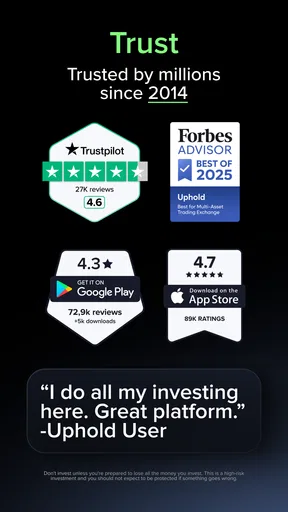
Uphold has an average rating of 4.5 from around 72,000 ratings, with about 8,100 written reviews and over 5 million installs. Those figures suggest that many people have tried it, but they can’t tell me whether the app suits my own habits. I’d still judge it by whether I understand the transaction flow, can keep account access private, and feel comfortable with the assets I’m considering.
Who will get the most from it?
I can see this working well for a curious beginner who wants one place to explore crypto alongside currencies and precious metals, as well as for a more experienced user who values that range and wants to automate a recurring approach. The simple interface lowers the learning curve, but it doesn’t remove the need to learn how trades work or to decide what risk is acceptable.
I’d skip it if I wanted a shared family wallet, a child-focused money app, or a substitute for a conventional bank account. I’d also choose a narrower service if my only goal were to hold one kind of asset and I preferred a tool focused solely on that. More choice is helpful only when I can keep track of what I own and why I bought it.
Final Thoughts
All in all, Uphold: Buy BTC, ETH and 300+ is a solid choice for anyone looking to dive into the world of crypto, precious metals, and beyond. It’s user-friendly, secure, and packed with features that cater to both beginners and seasoned traders. Whether you’re looking to make your first Bitcoin purchase or diversify your portfolio, this app has you covered.
If you haven’t already, give it a whirl. It’s free to download, and who knows? It might just become your go-to app for all things finance. Happy trading!
My household verdict
Uphold has been available since December 29, 2015, and its current version is 6.76.1; it requires Android 8.0 or later. Those details make it practical for many compatible devices, but I would still check that the phone’s owner can keep it updated and secured. The app is rated for Everyone, yet the financial decisions inside it call for adult judgment and personal responsibility.
My recommendation is strongest for an individual who wants a multi-asset finance app and is willing to keep a careful eye on trades and automation. For household use, I’d coordinate decisions openly while keeping logins and transaction authority personal. If that boundary sounds workable, Uphold offers a convenient way to explore several asset types from one app; if the household needs shared access or ordinary banking first, another kind of service is likely a better fit.
Pros
- Supports over 300 cryptocurrencies.
- User-friendly interface
- easy navigation.
- Instant transactions with low fees.
- Strong security features implemented.
- Multi-asset wallet functionality.
Cons
- Limited customer support options.
- Verification process can be lengthy.
- Not available in all countries.
- Some features require higher fees.
- No advanced trading tools included.
FAQs for Uphold: Buy BTC, ETH and 300+
What is Uphold, and what can I do with it?
Uphold is a versatile financial platform that allows users to buy, sell, and hold over 300 different cryptocurrencies, including popular ones like Bitcoin (BTC) and Ethereum (ETH). Additionally, it provides options for trading fiat currencies and precious metals. With Uphold, you can also send funds to other users and access a range of financial services.
Is Uphold secure for managing my cryptocurrencies?
Yes, Uphold implements robust security measures to protect your assets. It uses advanced encryption, two-factor authentication, and regular security audits to ensure the safety of user funds and data. Uphold is also transparent about its security practices, providing peace of mind for users concerned about the safety of their investments.
Are there any fees associated with using Uphold?
Uphold does charge fees for certain transactions, such as trading cryptocurrencies or converting between different assets. However, there are no fees for opening an account or maintaining it. It's important to check their website for the most up-to-date information on fees, as these can vary depending on the type of transaction and market conditions.
Can I use Uphold on both Android and iOS devices?
Yes, Uphold is available as a mobile app for both Android and iOS devices. The app offers a user-friendly interface, making it easy to manage your investments on the go. Additionally, it provides access to all the features available on the desktop version, ensuring a consistent experience across all platforms.
What are the supported payment methods on Uphold?
Uphold supports a variety of payment methods to fund your account, including bank transfers, debit/credit cards, and even cryptocurrency deposits. This flexibility allows users to choose the most convenient option for them, making it easy to start trading or investing in their preferred assets. Always check the app for the latest supported payment methods.


